Skills vs. MCP: Understanding the Tools Powering the Next Generation of AI Agents
Skills provide the procedural 'know-how', while MCP provides the 'tools' to interact with the world. Learn how they differ and how to use them together.
Open in
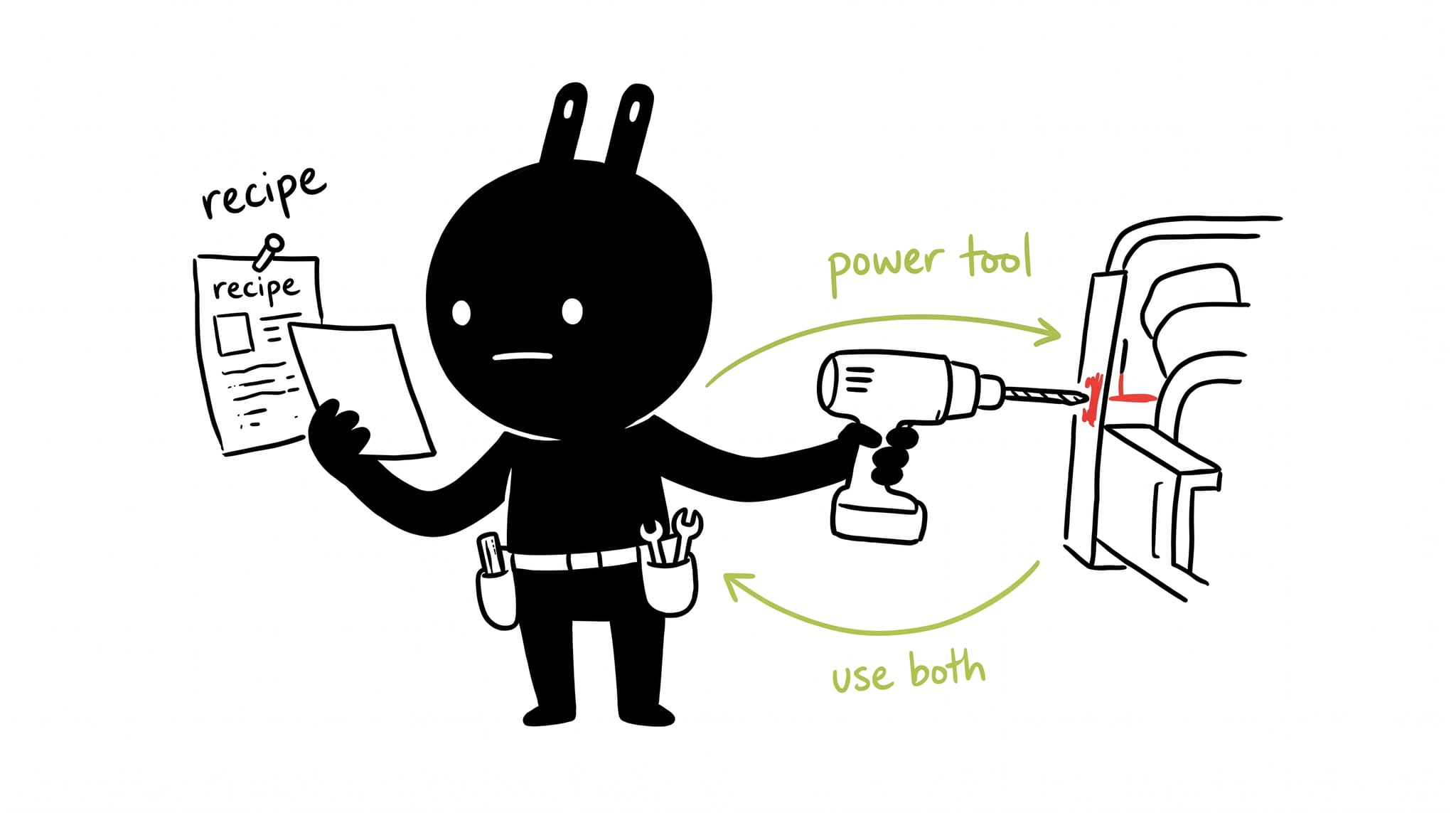
Two terms keep coming up in AI agent engineering: Skills and MCP (Model Context Protocol).
Pitting them against each other is a category error. They solve different problems and work together. This post covers what each does, how they differ, and when to use both.
What are Skills? (The “Recipe”)
Think of a Skill as a cheat sheet or a standard operating procedure (SOP) for an AI agent.
Technically, Skills are often lightweight Markdown files that contain procedural knowledge. They describe how to do a particular task, almost like a senior developer explaining a workflow to a junior developer. They capture domain knowledge, best practices, and team conventions so an agent doesn’t have to guess how you like things done.
Vercel recently released a “skills” ecosystem, allowing developers to install these packages with a simple command like npx skills add.
Key characteristics of Skills
- Format: usually text-based (Markdown) prompts.
- Purpose: To provide “procedural knowledge”, specific instructions on workflows or best practices.
- Pros: They are low-friction and easy to create. Because they use “progressive disclosure” (loading instructions only when relevant), they are great for guiding an agent through a complex business process without overwhelming its context window.
- Cons: They struggle with things like authentication and keeping state. They are also harder to version control once copied into a project.
Example:
Imagine you want an agent to build a React component. You could install the vercel-react-best-practices skill. This skill doesn’t give the agent new software tools; rather, it gives the agent the knowledge of how to write code that aligns with Vercel’s specific standards. Other popular examples include seo-audit for marketing or frontend-design guidelines.
What is MCP? (The “Power Tool”)
MCP (Model Context Protocol) is a standard for interoperability.
If Skills are the “recipe,” MCP is the “appliance.” MCP allows an AI agent to connect to an external service like GitHub, Sentry, or a database, and use it. It acts as a universal translator that exposes a service so that any agent can interact with it without needing a custom integration.
MCP has been called “a User Interface for AI agents”. Just as a UI makes a database usable for a human, MCP makes a service usable for an AI.
Key characteristics of MCP
- Format: A client-server protocol. MCP servers are installable, stateful applications.
- Purpose: To provide access to tools, data, and services.
- Pros: It handles authentication (like OAuth) and security permissions securely, which Skills cannot do easily. It is designed for scale and broad interoperability.
- Cons: It has a higher barrier to entry than writing a Markdown file. For simple, one-off personal tasks, building an MCP server might feel like overkill.
Example: An agent needs to check a specific error in your application. It uses a Sentry MCP server to authenticate with your account, fetch the error logs, and retrieve the data. It isn’t just reading about how to debug (which would be a Skill); it is connecting to the Sentry platform to get the real-time data.
The comparison: how do they differ?
To understand the difference, it helps to look at the scope of the problem they solve.
| Feature | Skills | MCP (Model Context Protocol) |
|---|---|---|
| Primary Goal | Workflow automation & Domain Knowledge | Service Interoperability & Tool Access |
| Analogy | The Instruction Manual | The Machine/Tool |
| Complexity | Low (Text/Markdown files) | Medium/High (Server implementation) |
| Authentication | Difficult (security risks with tokens) | Native (Handles OAuth/Auth securely) |
| Distribution | Copied text/files (hard to version) | Installable Servers (easy to version) |
| Best For… | Personal productivity, internal team rules, “How-to” guides. | Connecting agents to external platforms (GitHub, Google Drive, Databases). |
The power combo: using them together
The reason the “Skills vs. MCP” debate is misleading is that the most powerful agents use both.
You can use a Skill to act as an orchestration layer, a manager that tells the agent which MCP servers to use and in what order.
A real-world scenario
Imagine you are a developer fixing a bug.
- The Skill: You have a
bug-fix-workflowSkill. It tells the agent: “First, check Sentry for the error. Then, check GitHub for related issues. Finally, propose a fix using our team’s coding standards.” - The MCP: The agent follows these instructions:
- Use Sentry MCP to securely log in and get the crash report
- Use GitHub MCP to search your repository
- The Result: The agent combines the data retrieved via MCP with the process defined by the Skill to solve the problem exactly how you want it solved.
The verdict
- Use Skills when you need to teach the agent a process, a convention, or a “business recipe.”
- Use MCP when you need the agent to connect to a tool, read a database, or perform actions in an external system securely.
Both are early. Skills have versioning and clutter issues; MCP is still being adopted by service providers. The engineers building the best agents use both: Skills for workflow logic, MCP for external access.
Check your understanding
Three questions on the distinction above. Open each for the verdict.
Your agent needs to query your Postgres database. Skill or MCP server?
MCP server. Reaching an external system with credentials is the tool's job; a Skill would only hold the query conventions around it.
Why do shared Skills rot faster than shared MCP servers?
No versioning. Skills travel as copied text that drifts silently, while an MCP server installs at a pinned version you can upgrade deliberately.
When you use both, where does the orchestration live?
In the Skill. It names the order of operations and which MCP servers to call; MCP just exposes the tools to be called.