Anatomy of an Agent Harness: The Code That Runs When You Type a Prompt
The LLM never touches your filesystem. A look inside the agent harness, the run loop that turns model output into actions, and why understanding it makes you better at working with agents.
Open in
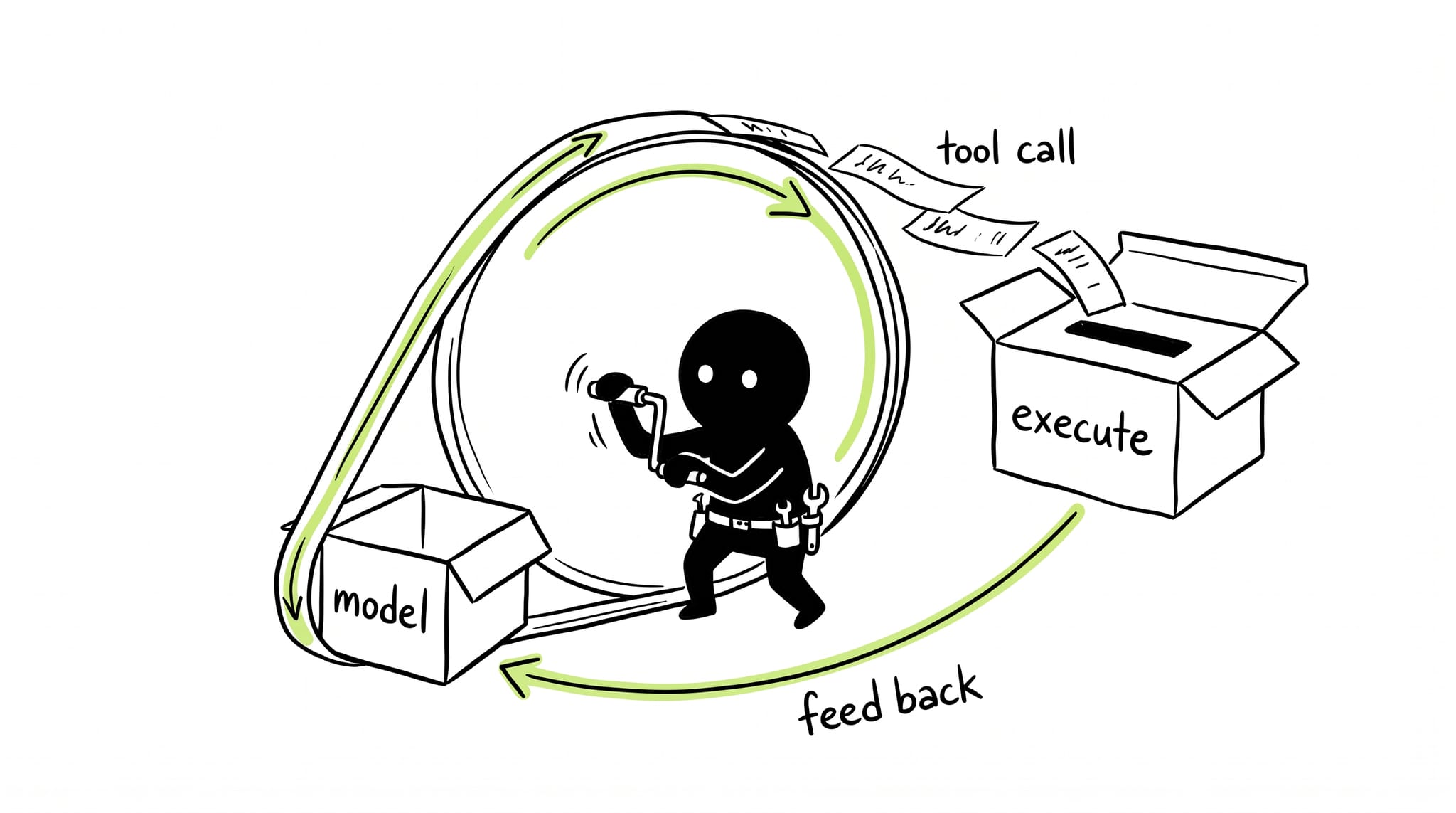
You type a prompt into your coding agent. Two minutes later it has read six files, edited three, run the test suite twice, and committed. It’s tempting to credit the model. The model did none of that.
Models generate text. They cannot read your disk, run bun test, or open a pull request. Everything that happened in those two minutes happened in ordinary software wrapped around the model. That software has a name, and most engineers using agents daily have never looked at it: the harness.
The term is borrowed from testing, where a test harness is the scaffolding that runs your code under known conditions and reports results. An agent harness does the same job for a model. It feeds inputs, captures outputs, executes side effects, and enforces rules. Get it right and a mid-tier model punches above its weight. Get it wrong and a frontier model flails. I’ve seen both, sometimes in the same week.
This is part one of a series on building these things well. Later parts cover context management, guardrails, and running agents for hours. First, the machine itself.
What the loop looks like
Strip away the spinners and the terminal chrome, and every coding agent I’ve read reduces to roughly this:
messages = [{"role": "user", "content": task}]

while True:
    response = llm.call(messages, tools=TOOLS)

    if not response.tool_calls:
        break  # plain text back = task complete

    for call in response.tool_calls:
        result = execute(call)      # <- the dangerous line
        messages.append(result)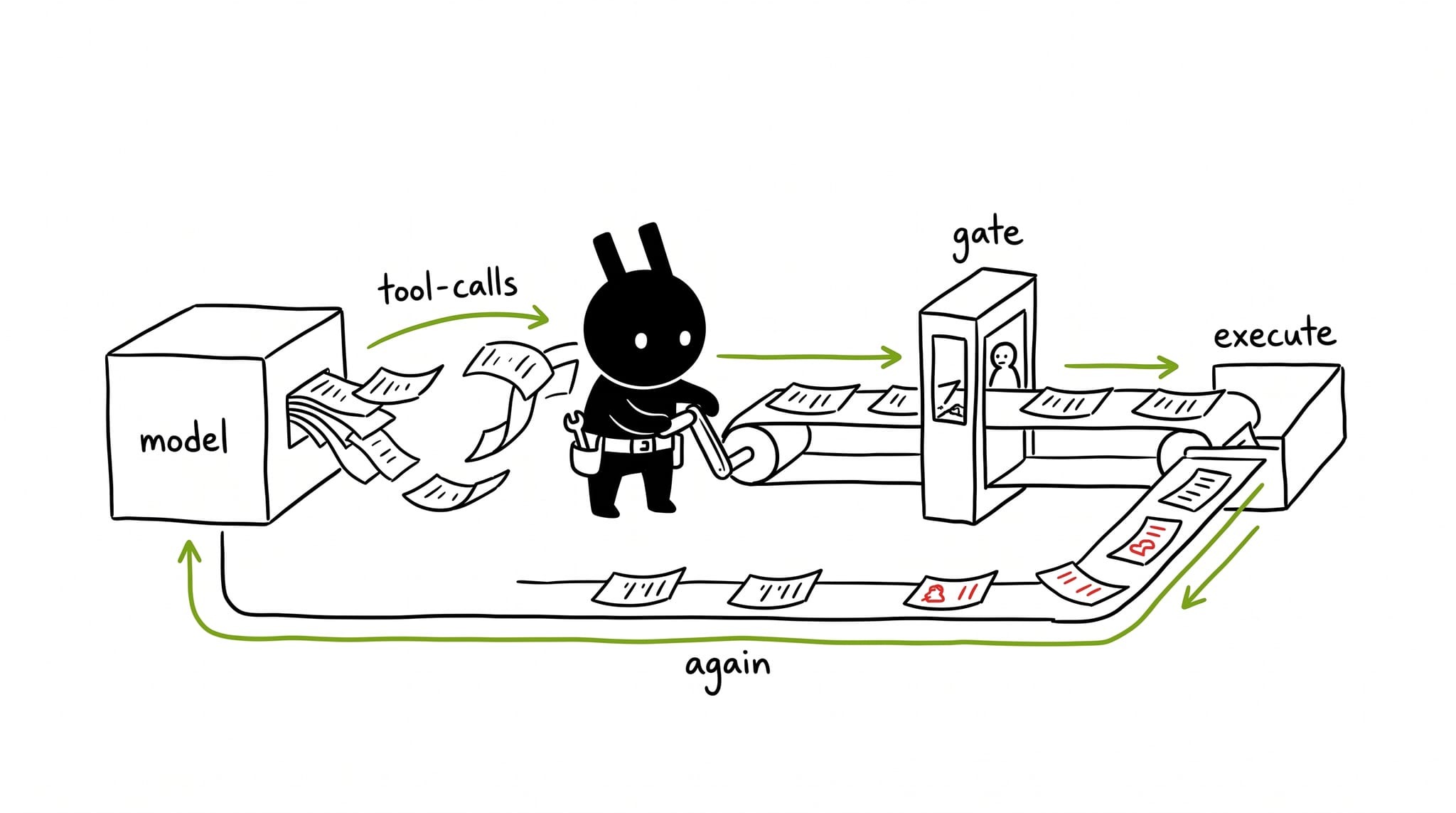
That’s the whole idea. Simon Willison’s definition of an agent is the best one-liner I know: a tool-using LLM operating in a loop. Anthropic’s Building Effective Agents says the same thing more formally: workflows orchestrate LLMs through predefined code paths, agents direct their own process through tool use. Either way, the intelligence lives in the model, but the behavior lives in the loop.
Three things in that pseudocode deserve your attention, because they’re where harness quality concentrates.
Message assembly
Before every model call, the harness builds the request: system prompt, project instructions, conversation history, tool schemas, whatever memory files the user maintains. This is not passive plumbing. What goes in, in what order, and how much of it survives determines whether the model sees your actual problem or a fog of stale context. Entire blog posts (mine included, next in this series) exist because teams got this wrong.
Tool dispatch
When the model emits read_file("src/auth.py"), something must resolve that string against a registry, perform the read, and serialize the result back into a message the model can consume. Dispatch is also where errors get shaped. A harness that returns Error: ENOENT teaches the model nothing; a harness that returns the directory listing and a hint teaches it to recover. Same model, wildly different outcomes.
The permission gate
Notice the comment on the dangerous line. Between the model’s decision and the execution sits the single most important function in the whole system: the check that asks whether this tool is allowed to do this right now. Without it, a confused model can delete files, exfiltrate secrets, or worse. We’ll spend all of part three there, because that gate is where trust boundaries live.
Why “harness” beats “wrapper”
A wrapper implies passivity, something that formats requests. A harness implies constraint and direction, like the harness that lets a climbing rope save your life. The distinction matters because harnesses actively shape model behavior rather than merely relaying it.
Consider what good harnesses add beyond the bare loop:
- Retry and repair logic. Malformed tool call? The harness re-prompts with a correction instead of crashing the run.
- Result truncation. A 40,000-token file dump would wreck the context window, so the harness clips, paginates, or summarizes before it reaches the model.
- State tracking. Which edits succeeded, which commands ran, what the todo list says. The model forgets; the harness remembers.
- Deterministic interjections. Rules files, lint output, reminders. Injected into the loop at fixed points regardless of what the model thinks it needs.
None of that is intelligence. All of it is engineering. And it explains something I kept observing before I understood why: swapping models changed my results far less than swapping harnesses did.
Read the source, it’s closer than you think
For years this machinery was hidden behind proprietary products. Not anymore. OpenAI’s Codex CLI and Google’s Gemini CLI are both open source. Several independent harnesses publish everything. You can clone one and read the actual loop over coffee.
Do it once and two things happen. First, the magic drops away, which sounds like a loss but isn’t. When your agent stalls in a weird loop at 2am, knowing that loops are made of dispatch tables and message arrays means you can reason about which part broke instead of sacrificing a goat. Second, you start seeing harness decisions everywhere: why some tools are described verbosely (the description is few-shot prompting in disguise), why some errors come back gentle (shaped for recovery), why your agent suddenly “remembers” a rule from an hour ago (it’s still in the message array).
My rule of thumb after a year of this: treat harness behavior as product behavior. When something surprises you, assume a decision caused it, then go find the decision.
Where this goes next
The loop is the skeleton. In part two I’ll go deep on the part that breaks first on real tasks: keeping the context window useful as it fills up. Part three covers the permission gate and sandboxing. Part four is about runs that last ten hours instead of ten minutes.
If you’ve never opened your harness’s source, that’s this weekend’s homework. Start with the main loop file. It’s smaller than you expect.
Does your mental model of agents survive contact with the actual loop? Tell me what surprised you on Twitter/X.
Context Engineering: The Hardest Problem in Agent Harness Design